Structure generators
Thirty-five parametric structures — trusses, frames, arches, towers, domes and shells — generated from a few dimensions, with supports and loads.
Modeling 5 min read
Most models start as something with a name: a Pratt truss, a portal frame, a three-bay, four-storey braced frame. Drawing one node by node is the slowest way to get there and the easiest way to misplace a node. Generate builds the whole structure from a few dimensions — members, plates, supports and a first set of loads — and drops it into the model, where it is ordinary geometry from then on.
Where to find it
| From | What happens |
|---|---|
| Home → Geometry → Generate and Model → Geometry → Generate | Inserts a structure into the open model |
| The strip in an empty model | The same, as the first thing you do |
| New project → Or start from a structure… | Picks a structure, then its dimensions, for the new project |
| Start from a structure on the dashboard | All 35, as cards, for a new project |
Generate is greyed out in a read-only example, and in wall and plate models, which have no members to generate.
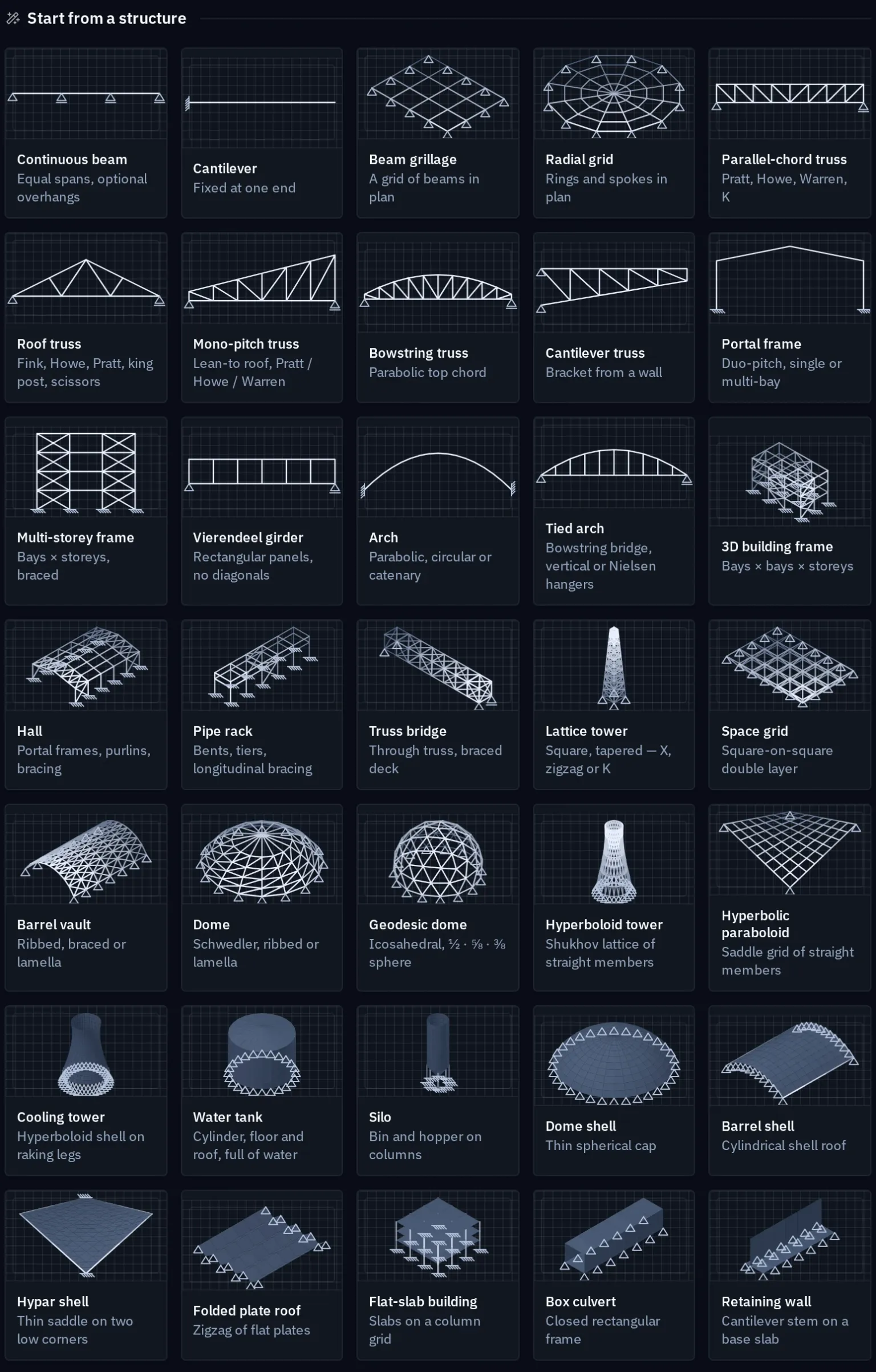
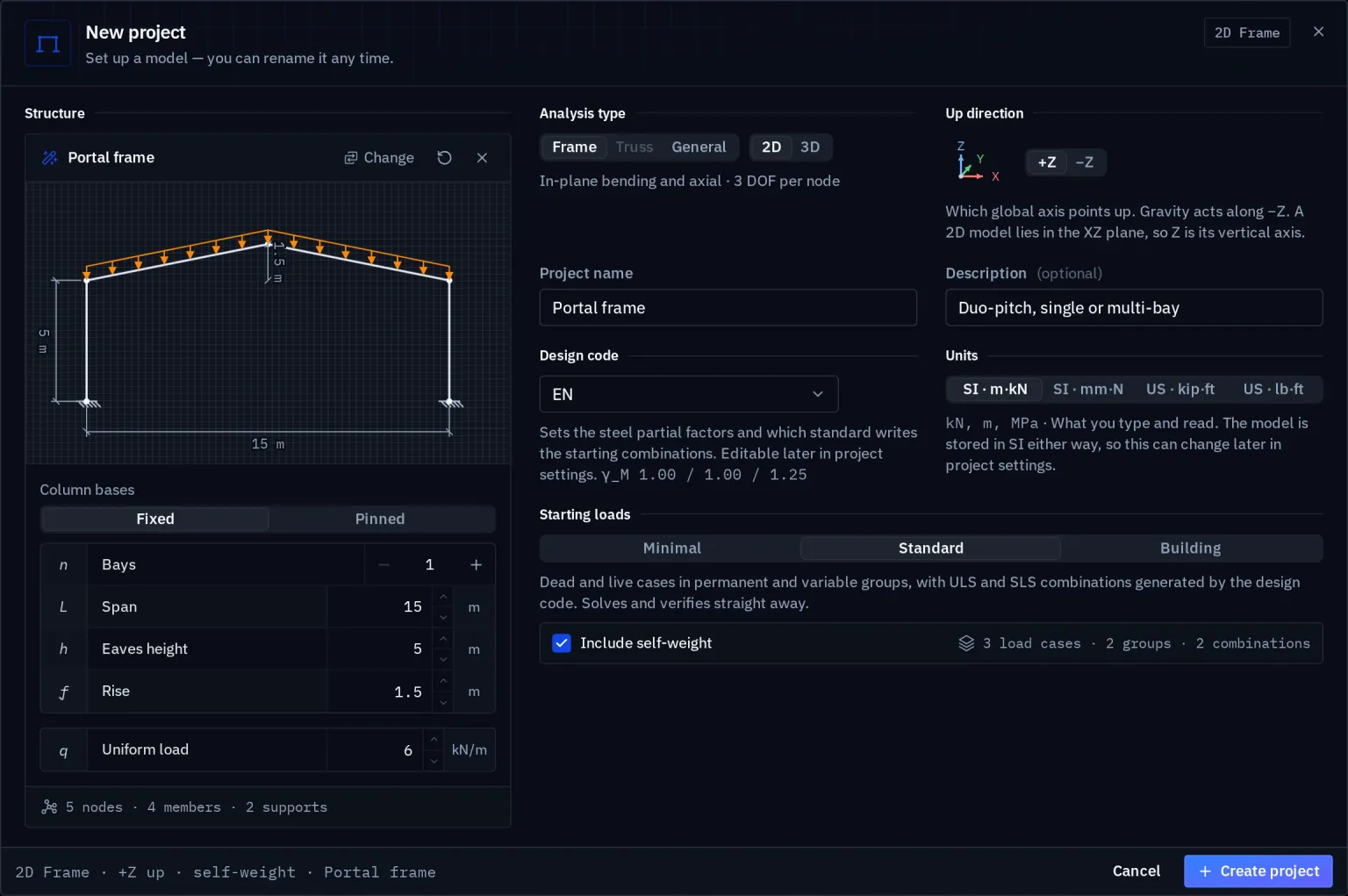
The dialog
Generate structure shows a drawing of the structure with its dimension lines, in Elevation or Iso, redrawn as you type. Underneath it:
- Geometry — the dimensions and options of that structure: spans, heights, panels, bays, storeys, the truss pattern or the bracing.
- Loads — the loads the structure is usually checked for, written into the Load case you pick. With no load case chosen, the loads are skipped.
- Members — a section and material per role (chords, diagonals, posts, columns, rafters…), and a Surface material and thickness for shells. New structures start from IPE 200, S235 and C30/37 in SI units, or W12X26, A992 and 4000 psi concrete in US units.
- Placement — At origin, Beside the model, At selected node, or an origin you type.
Defaults resets the form; Generate inserts it and reports what it added — so many members, so many new nodes. A generated joint that lands on an existing node joins it rather than sitting on top of it, so a truss generated onto the top of two columns is connected to them.
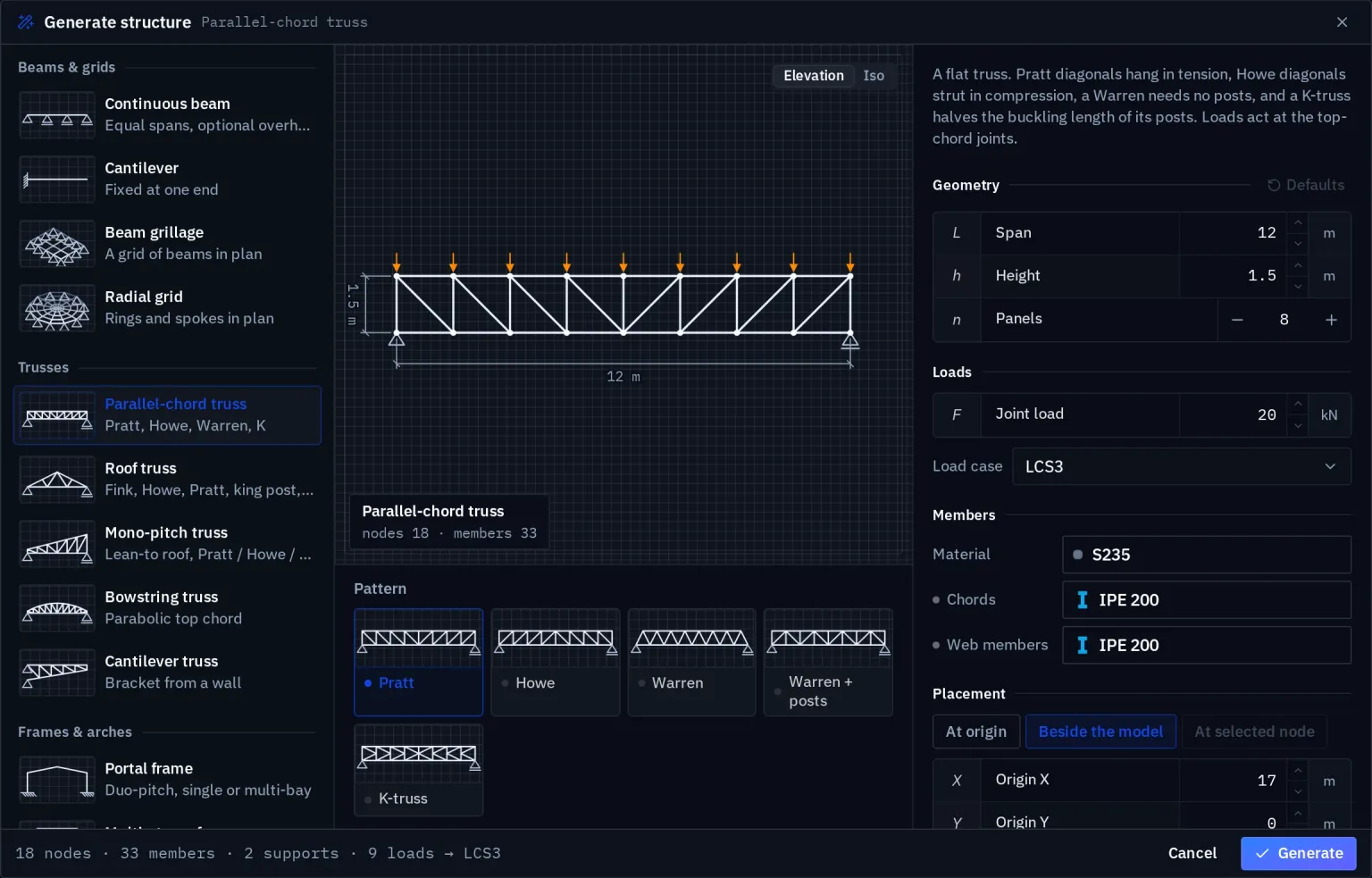
The dialog warns before generating more than 4,000 members.
Which structures fit which model
| Model type | Accepts |
|---|---|
| Plane truss | Plane structures made only of bars |
| 3D truss | Structures made only of bars, plane or spatial |
| Plane frame | Plane structures |
| Grillage | Plan structures — grids and grillages |
| 3D frame, general 3D | Everything, shells included |
A new project started from a structure takes the leanest model type that holds it: a plane truss for a Pratt truss, a 3D frame for a dome, general 3D for a shell.
The catalogue
Defaults are given in SI units; every dimension is a field.
Beams and grids
| Structure | Options |
|---|---|
| Continuous beam | Pin and rollers, fixed ends or propped; 1–12 spans (3 × 6 m), an overhang; 10 kN/m |
| Cantilever | 3 m, a tip load and a uniform load |
| Beam grillage | Supported at the corners, the perimeter or two edges; 4 × 3 bays at 2 m |
| Radial grid | Perimeter, or rim and centre; 16 m across, 4 rings, 12 sectors |
Trusses
All bar-only, so they also fit a plane truss model.
| Structure | Options |
|---|---|
| Parallel-chord truss | Pratt, Howe, Warren, Warren with posts, K-truss; 12 m span, 1.5 m deep, 8 panels, joint loads |
| Roof truss | Fink, Howe, Pratt, King post, Scissors; 10 m span, 2.5 m rise |
| Bowstring truss | 18 m span, 3 m rise, 10 panels |
| Mono-pitch truss | 8 m span, 2.5 m high |
| Cantilever truss | 6 m, tapering from 1.5 m at the wall to 0.5 m at the tip |
Frames and arches
| Structure | Options |
|---|---|
| Portal frame | Fixed or pinned bases; 1–8 bays of 15 m, 5 m to the eaves, 1.5 m rise |
| Multi-storey frame | No bracing, X, chevron or diagonal; 3 bays, up to 40 storeys, an optional horizontal load per floor |
| Vierendeel girder | Rigid-jointed, no diagonals |
| Arch | Parabolic, circular or catenary; 20 m span, 5 m rise |
| Tied arch | Vertical or Nielsen hangers; 40 m span |
3D frameworks
| Structure | Options |
|---|---|
| 3D building frame | 3 × 2 bays, 3 storeys, braced |
| Hall | 6 portal frames at 20 m span, purlins, end-bay bracing |
| Truss bridge | 30 m span |
| Lattice tower | X, zigzag or K bracing; 30 m |
| Space grid | Perimeter or corner supports |
| Pipe rack | 6 bents, 2 tiers |
| Dome | Schwedler, ribbed or lamella |
| Barrel vault | Ribbed, braced or lamella |
| Geodesic dome | ½, ⅝ or ⅜ of a sphere; frequency 1–8 |
| Hyperboloid tower | Shukhov type, 24 sectors |
| Hyperbolic paraboloid | As a bar grid |
Surfaces and shells
Plates meshed into four-node shells, each with a thickness. These need a model with all six degrees of freedom at every node — a 3D frame or general 3D.
| Structure | Options |
|---|---|
| Dome shell | — |
| Barrel shell | With edge beams or free edges |
| Hypar shell | Supported at the low corners or all four |
| Folded plate roof | — |
| Cooling tower | On V-legs or a base ring; 0.25 m thick; wind pressure with a cosine distribution round the shell |
| Water tank | Open, flat or cone roof; hydrostatic pressure on the walls |
| Silo | Bin and hopper on 8 columns; wall pressure |
| Flat-slab building | 3 × 3 bays, 3 storeys, 5 kN/m² |
| Box culvert | Fill on the roof and earth pressure on the walls |
| Retaining wall | Earth pressure, graded with depth |
Plates generated side by side share their edges, and edge beams share their nodes, so a generated shell is one connected surface — not a set of facets that touch.
After generating
The structure is ordinary model geometry: nothing remembers that it was generated, and nothing regenerates it. Edit it like anything you drew — select a chord and change its section, delete a diagonal, move a support. To try a different span, undo and generate again.
The generated loads are a starting point, not a load model. They are in the case you picked, as uniform, joint, surface or depth-graded loads; check them against the project's actions before you rely on them, and add the rest in load cases.
Related
Your first model draws a frame by hand; Bars, beams and trusses explains the element each generated member becomes.
Something wrong or unclear on this page? Tell us, and it gets corrected.