Reading diagrams
Bending, shear and axial diagrams, contour plots and deformed shapes — the conventions behind what you are looking at.
Results & reports 4 min read
Diagrams are the fastest way to understand a result and the easiest way to misread one. Most misreadings come from a convention, not from the mechanics.
Beam and bar diagrams
Plotted along the member length, for the selected load case, combination or envelope:
| Quantity | Symbol | Positive means |
|---|---|---|
| Axial force | Tension | |
| Shear | , | Per the local axis convention |
| Torsion | Rotation about the member's own axis | |
| Bending | , | Per the local axis convention |
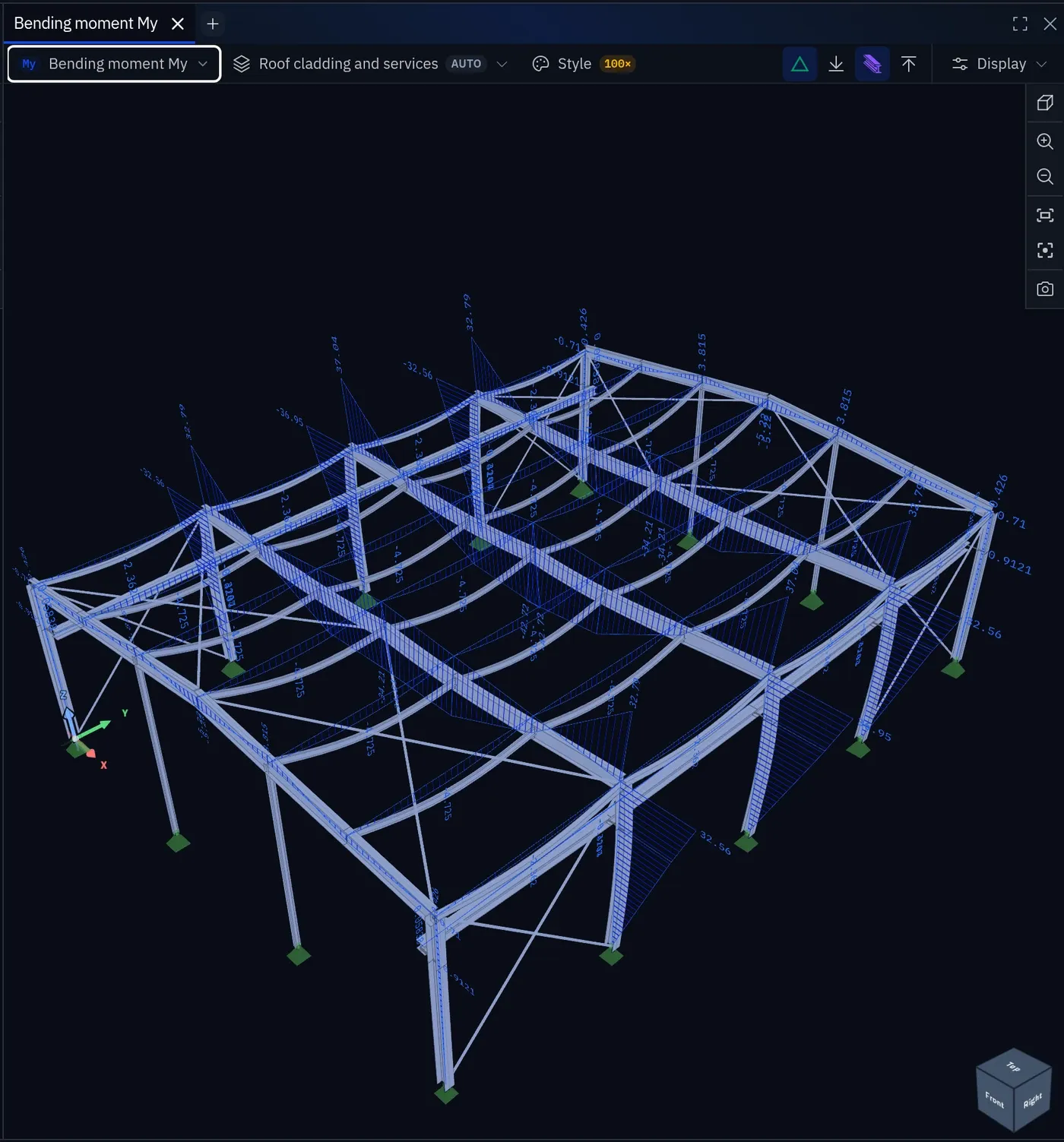
The full convention, including which side of the member the diagram is drawn on, is in Sign conventions.
Reading a moment diagram
- Where the diagram crosses zero is a point of contraflexure. It matters for reinforcement curtailment and for which flange is in compression.
- A step in the shear diagram means a point load or a support reaction; a kink (a change of slope) means the distributed load changes there.
- A parabola means a uniformly distributed load; a straight line means none.
- A jump in moment means an applied point moment. A member end release shows as the moment going to zero at that end, not as a jump.
If the shape does not match the loading you applied, find out why before reading any value.
Surface contours
Plates, walls and shells display as contour plots:
| Result | Meaning |
|---|---|
| , | Bending moment per unit width about the respective axis |
| Twisting moment per unit width | |
| , , | Membrane forces per unit width |
| , | Out-of-plane shear per unit width |
| Principal moments | Extremes and their direction |
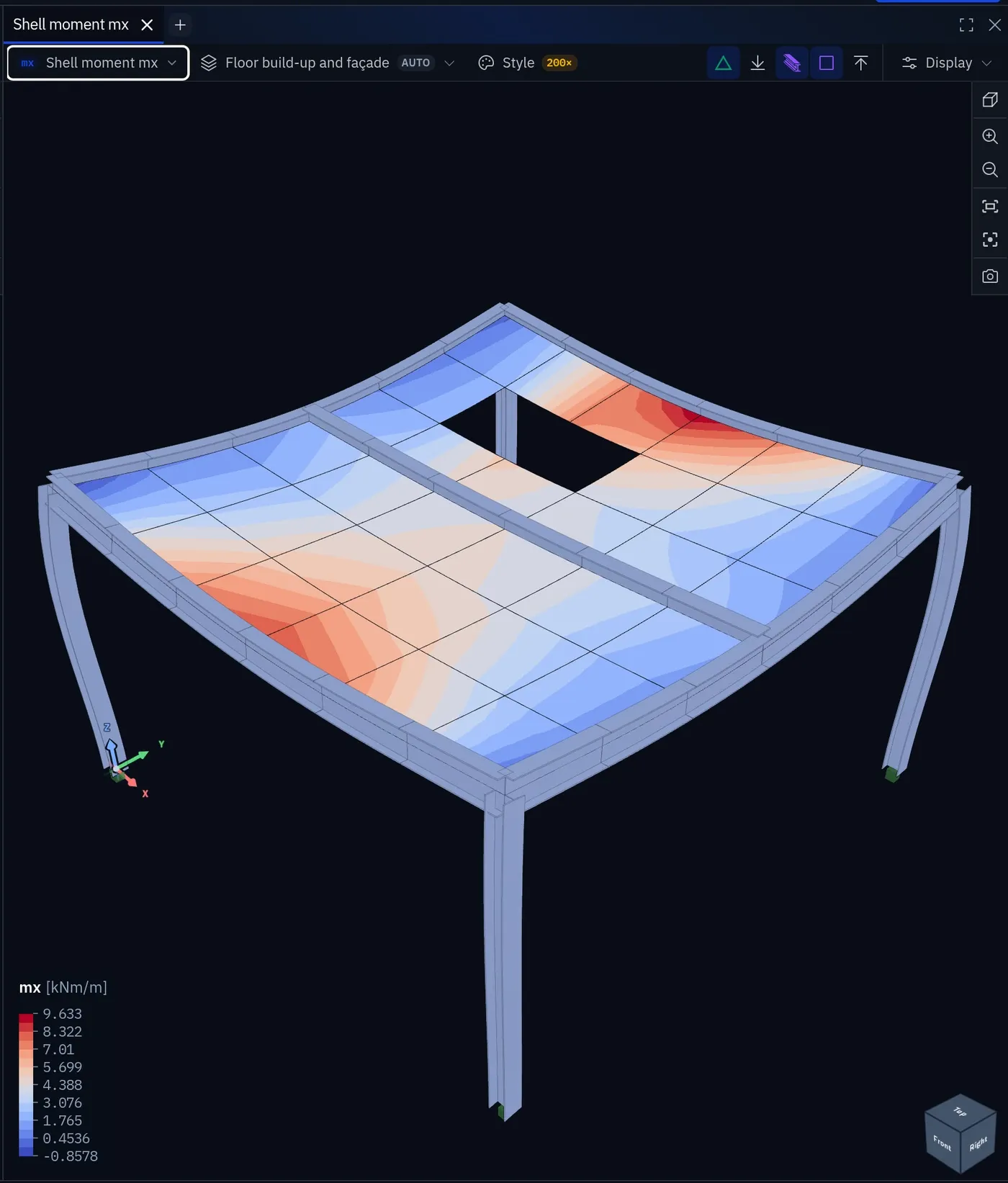
Contours lie about singularities
A contour of hogging moment around a column shows a smooth, dramatic peak. It is smooth because the plotting interpolates, and dramatic because the underlying solution is singular. The peak value is a function of your mesh, not of the structure — read at the support face, or integrate over a design strip. See Choosing element size.
Deformed shape
- Look for members that move independently of their neighbours: that is a missing connection.
- Look for supports that move: that is a support not doing what you specified.
- Look for symmetry under symmetric load. Asymmetry means the restraints are not what you think they are.
Animated
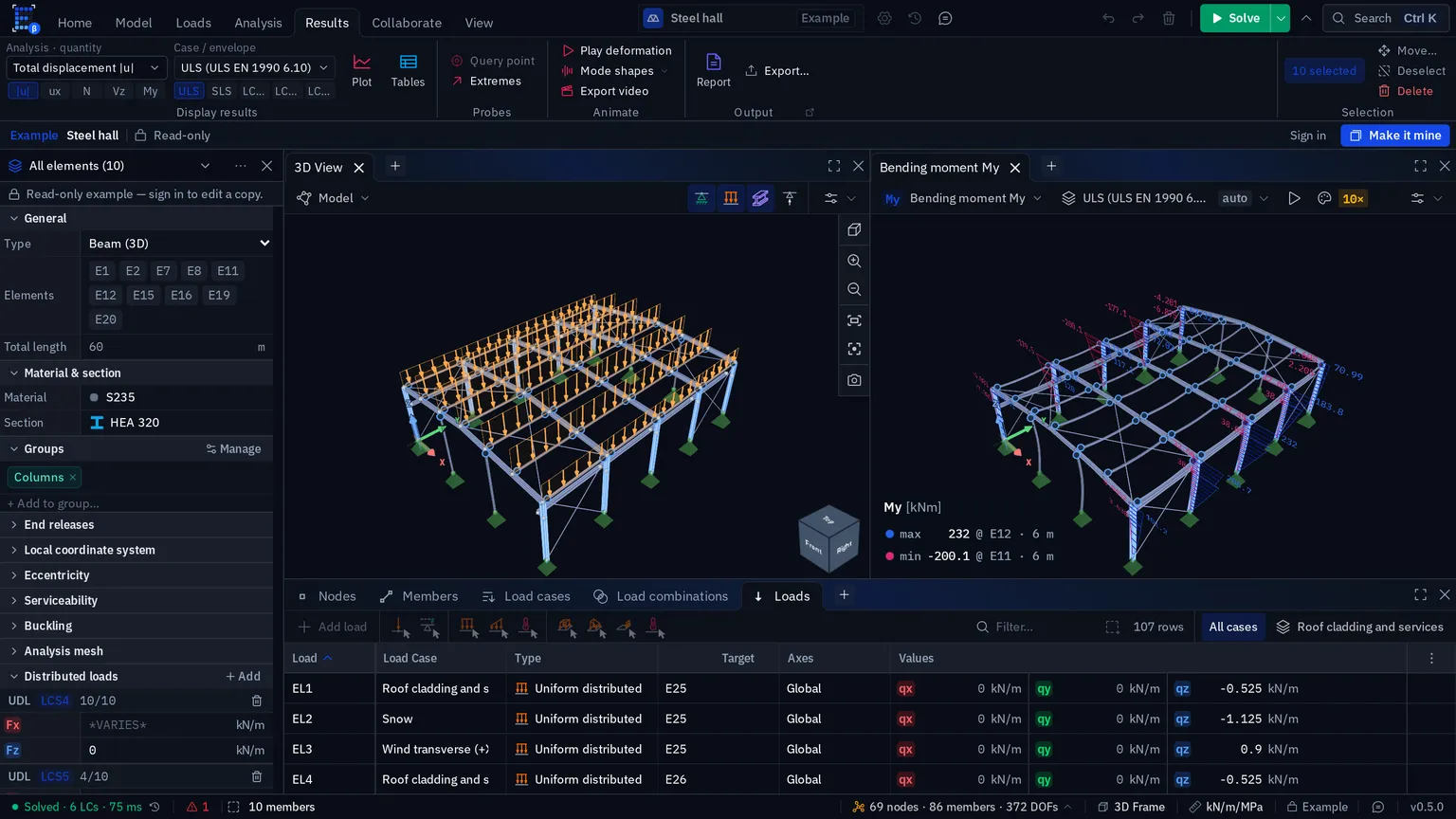
A still deformed shape hides the order things move in; an animation shows it. Results › Animate › Play deformation sets every open results viewer that shows a single deformed state moving: displacements, internal forces, shell resultants, and the structure with its deformed shape switched on. Load states grow from rest; mode shapes, buckling modes and mechanisms swing through zero. Each viewer also has its own Play and Pause, and Stop in the ribbon eases every viewer back to rest. Mode shapes in the same group picks any modal or buckling mode and plays it.
Envelopes, design utilisation and the error estimate are not one state of the structure, so they never animate.
Export video records a 3D viewer as a looping clip of whole two-second cycles, at 30 frames per second, in MP4 where the browser can encode it and WebM where it cannot, with the same title block and colour scale as a still capture.
Finding the extremes
Click the maximum or minimum at either end of a contour's legend and the view flies to where it occurs and pins it. Pin overall max & min in the viewer's Style menu keeps both pinned. Force diagrams, which have no colour scale, show a max/min readout in the corner instead. The pinned value, the legend and a captured figure always quote the same number. To find a result quantity without the menus, type it into the command palette (Ctrl K): My, |u|, η.
Envelope diagrams
An envelope diagram shows maximum and minimum at every position, potentially from different combinations. Its shape is therefore not a state the structure was ever in — see Envelopes before using its values in a hand calculation.
Before you quote a number from a diagram
- The combination or case selector says what you think it says.
- The result quantity is the one you want, in the axis you want.
- The units are per unit width for surfaces, absolute for members.
- The position is where you intend — face of support, not centreline, where that matters.
Something wrong or unclear on this page? Tell us, and it gets corrected.