Exporting a report
Assembling a calculation package a reviewer can follow — inputs, model, results and checks, in the order a calc package should be.
Results & reports 3 min read
A calculation package has to be followable by a competent engineer without access to your screen.
What belongs in a calculation package
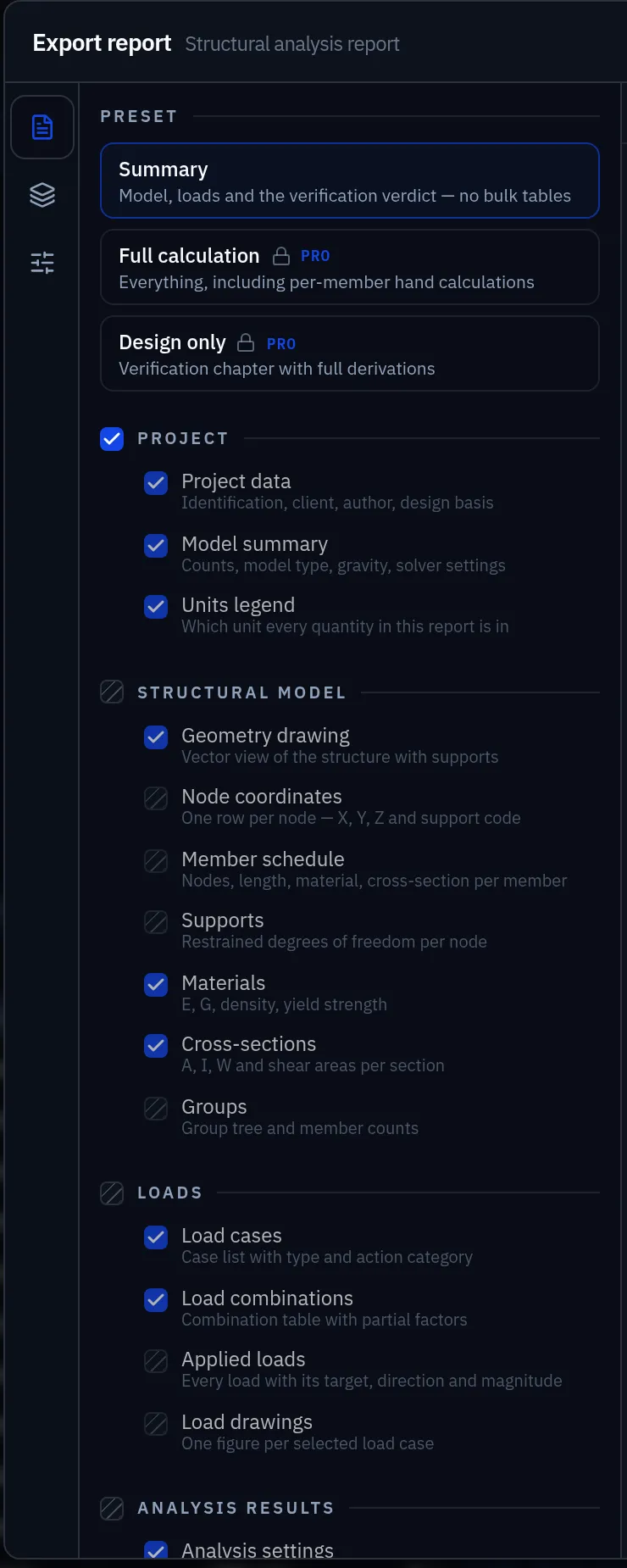
Elementarium emits five chapters, in this order, and every section within them can be switched on or off:
| Chapter | Sections |
|---|---|
| Project | Project data and design basis; a model summary with counts, model type and solver settings; a legend saying which unit every quantity is in |
| Structural model | A vector drawing with supports; node coordinates; the member schedule; supports; materials; cross-sections; groups |
| Loads | Load cases with their action category; the combination table with its partial factors; every applied load with target and magnitude; a figure per case |
| Analysis results | Solver, DOF count and solve time; reactions; nodal displacements; min/max internal forces; deformed shapes and diagrams as figures |
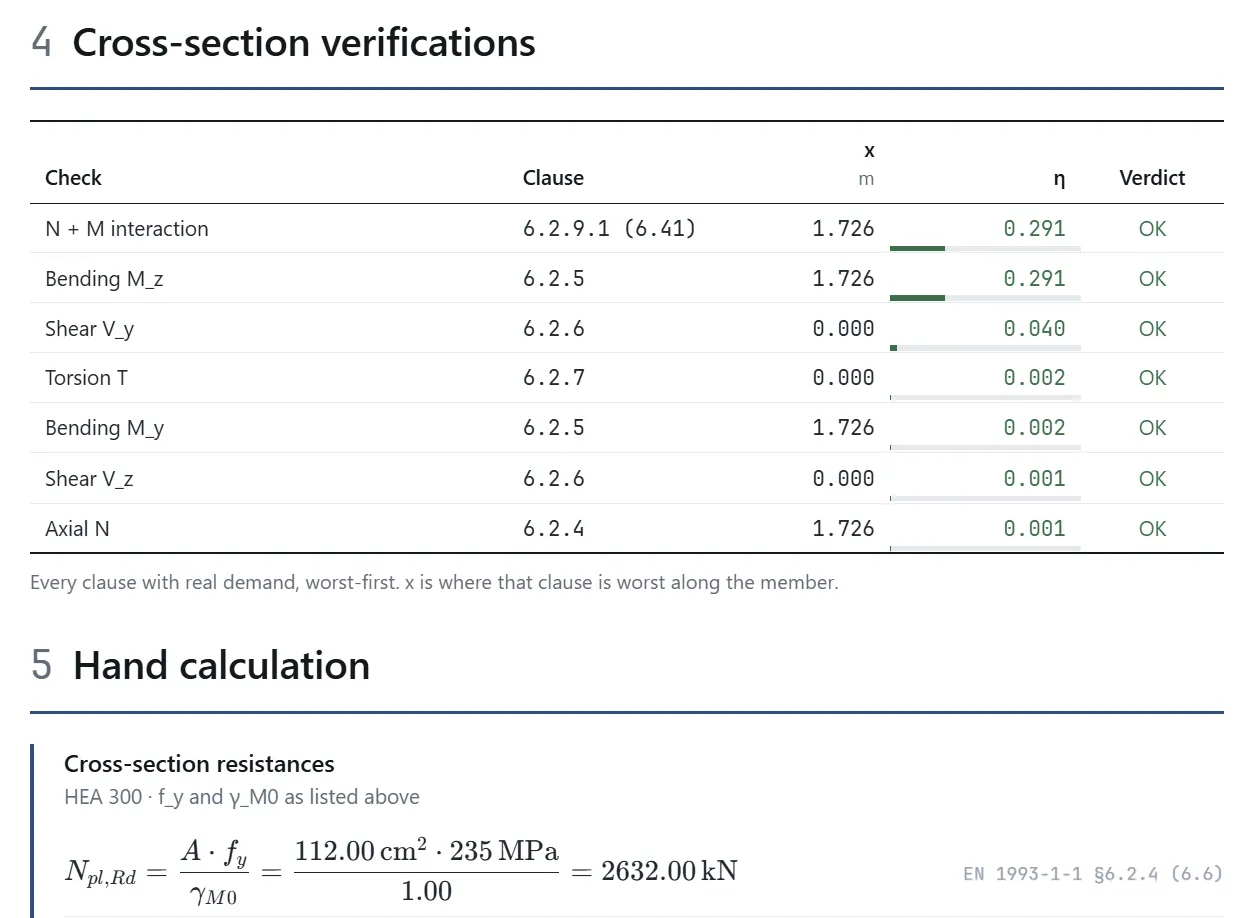
| Design verification | Worst utilisation per member with its governing clause; the per-clause breakdown; the fully substituted hand calculations; the assumptions and limitations |
Four presets pick a subset:
| Preset | Contains |
|---|---|
| Summary | Model, loads and the verdict, no bulk tables |
| Full calculation | Everything, including per-member hand calculations |
| Design only | The verification chapter with full derivations |
| Custom | Your own selection |
Two more controls set the length: which rows the detail tables carry (all, only the governing one, or only the failing ones), and how many derivations to print (none, the governing one, or every one).
Building it
Reports are assembled from the solved model, so nothing in them can disagree with what you saw on screen. Select the content — figures, tables, checks — set the filters each table should use, choose A4 or Letter, portrait or landscape and a margin, then export. The document is paginated in the browser with the formulas typeset, and printed to PDF from there.
Because the report is generated from the model, re-running after a change regenerates the same document with the new numbers.
Traceability
Each design check in the report carries:
- the utilisation ratio,
- the governing combination,
- the clause applied,
- the formula with your values substituted,
- the intermediate quantities — classification, resistances, partial factors.
Figures
Include at least: the model geometry with supports, the loading arrangement for the governing case, the deflected shape, and the diagram or contour for the governing result. Label every figure with the case or combination it shows — an unlabelled contour plot is decoration.
Watermarking
Reports on the free plan are watermarked. Full export requires Pro — see Plans and limits. A watermarked report is complete and readable, but not suitable for issue.
Revisions
Keep the report revision aligned with the model it came from. Save a named version of the project when you export an issue (Collaborate › History › Save version), with the revision in its name, and the model behind the report can be previewed again when someone finds a discrepancy two months later. The exported PDF remains the record of what was issued: keep the file. See Version history.
Design checks are the exception: a check stores the version of the module it was created with, so re-opening it after an app release resolves the same implementation and produces the same numbers.
Before you issue
- Assumptions state the code, the annex and every override.
- Load cases are traceable to a source — a code clause, a supplier's data sheet, a drawing.
- The combination table is present and matches the results shown.
- Reactions are included, and you have summed them against the applied load yourself.
- At least one independent hand check is included.
- Every result carries its combination.
- The assumptions and limitations section is included. It is where each design module states what it did not verify — load height in for the Eurocode module, single angles and built-up members for AISC — and leaving it out turns a stated boundary into a silent one.
- Further exclusions are stated: connections, foundations, fire — whatever this package does not cover.
- The report is signed by someone who takes responsibility for the design. The software does not, and cannot — see the terms of service.
Something wrong or unclear on this page? Tell us, and it gets corrected.