Working across devices
One account on every device — how a project follows you from desk to laptop, tablet or phone, and what changes on a small screen.
Collaboration & sync 3 min read
An Elementarium project lives in your account, not on a machine. Every device you sign in on has it — with the whole solver, not a viewer.
The same project everywhere
Sign in on a second device and the project list is the one you left. Open a project and it is in the state the last device left it, because every edit is recorded and synced as it happens — no save button and no file to carry. See Collaboration and sync.
Two consequences that are easy to miss:
- A project opened on a device stays available there offline. Open it on the laptop before the train; it is there in the tunnel. See Working offline.
- Solves are local to each device. Pressing solve on the tablet runs the solver on the tablet's processor. Results are part of the project and sync like everything else, so a solve run at the desk is readable on the phone — but re-solving on the phone re-runs it there.
One subscription covers all of them: no per-device seat and no limit on the number of devices; the plan follows the engineer. See Plans and limits.
What runs where
| Desktop and laptop | Tablet | Phone | |
|---|---|---|---|
| Modeling | Full | Full, touch | Full, touch — practical for small edits |
| Meshing and solving | Full, threaded where the browser allows | Full, on the tablet's cores | Full, slower, memory-bound sooner |
| Results, diagrams, tables | Full | Full | Full, one panel at a time |
| Design checks and reports | Full | Full | Full |
| Multiple viewers side by side | Yes | Yes | Panels stack instead |
The solver is the same WebAssembly binary on every device, running on x86 or ARM as the device provides. What differs is cores, memory and screen.
What changes on a small screen
The desk layout — the ribbon, the properties panel, as many viewports as you want docked side by side and the table dock underneath — is wrong on a phone, so it does not try. The same panels stack into something a thumb can drive, one in front at a time, with touch targets sized for a finger rather than a cursor.
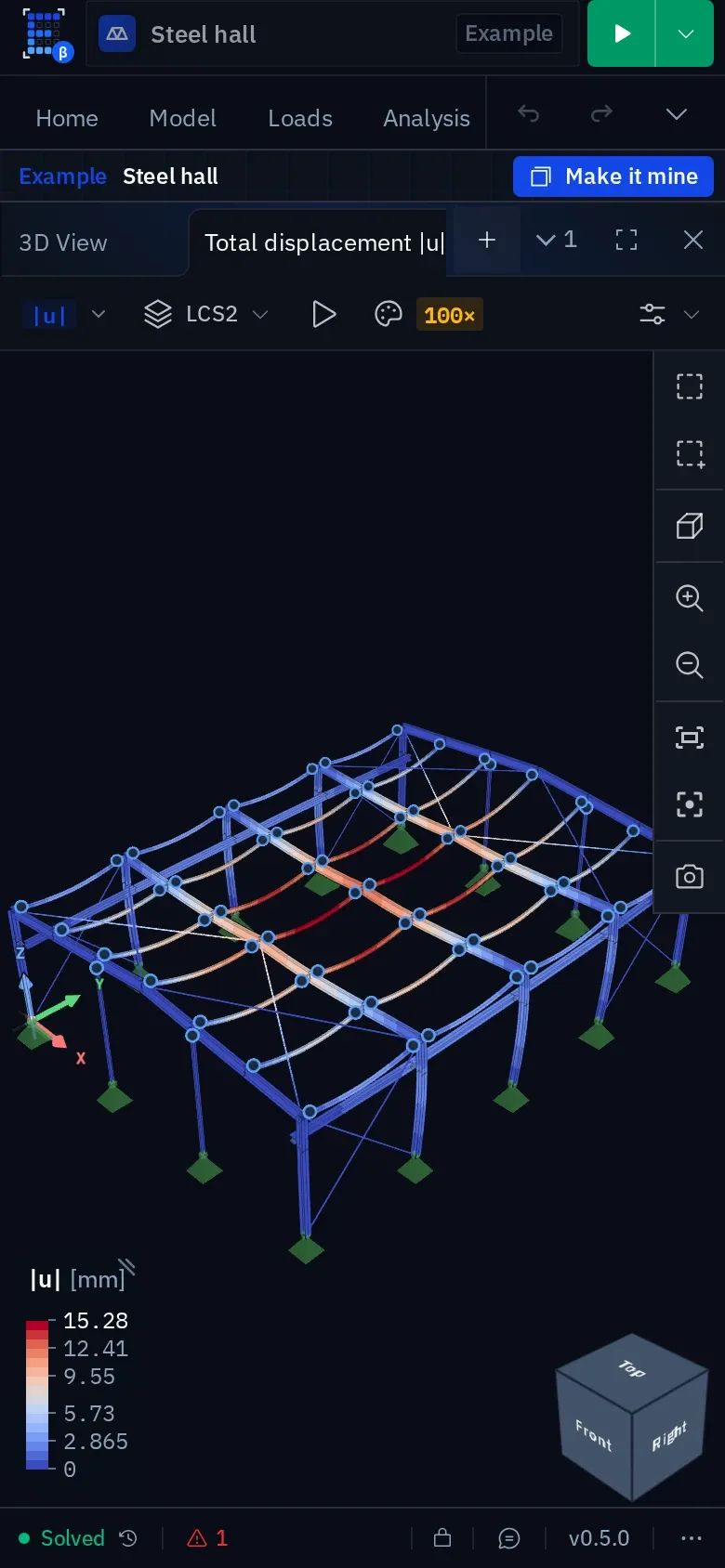
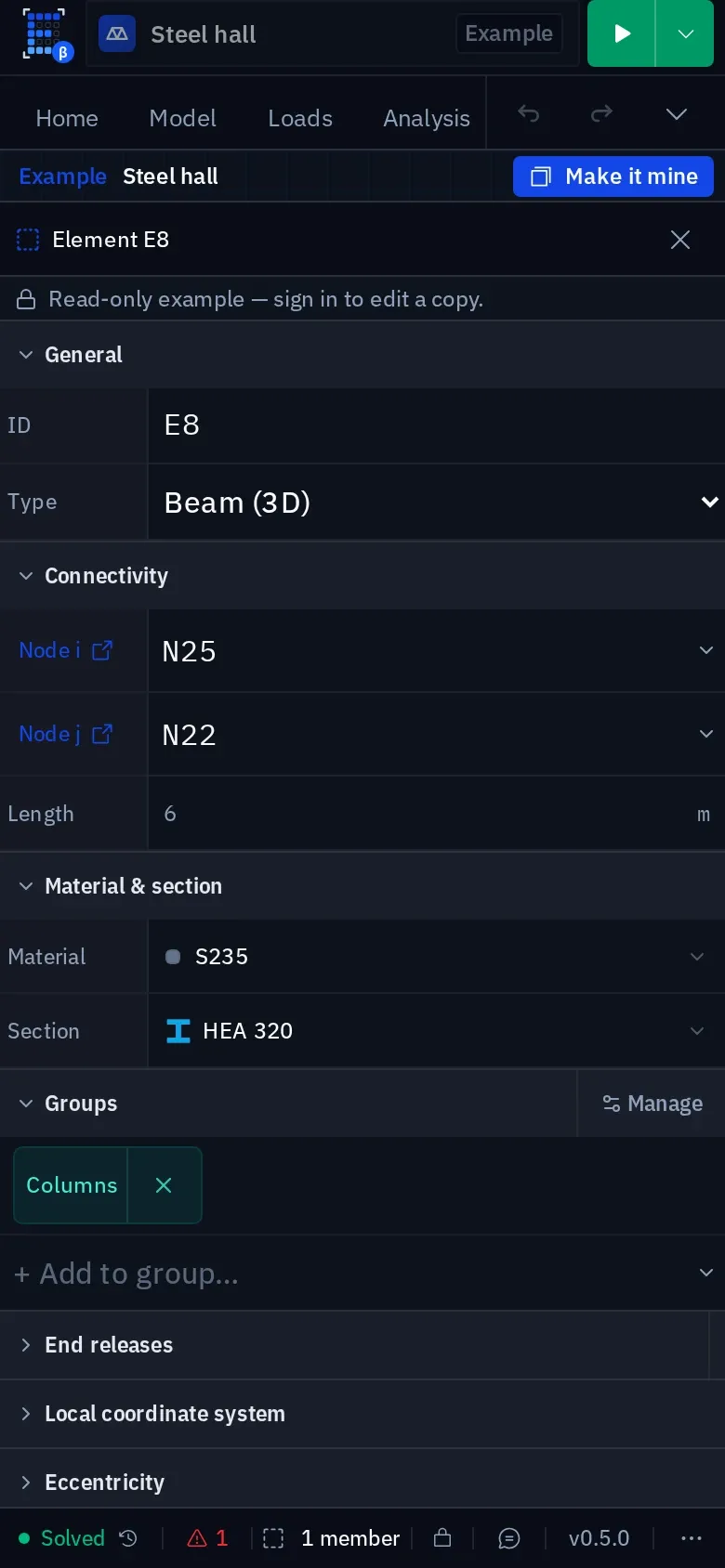
The layout you arrange on a large screen is kept with your workspace, so the desk comes back as you left it. See the workspace layout on the features page.
Where each device earns its place
| Device | Use |
|---|---|
| Desk | Building the model, meshing, the runs you report, the report itself |
| Laptop | The same, anywhere with a chair. The threaded solver build needs the browser to grant cross-origin isolation, which current desktop browsers do |
| Tablet on site | Opening the model at the structure, checking a member size or a reaction against what is in front of you. Small edits are practical; re-solving a frame takes a moment |
| Phone | Reading a result, opening a project someone just shared to see what they mean, the number for the meeting. Modeling is possible and not where the time goes |
Browsers and sign-in
Any current Chrome, Edge, Firefox or Safari — on Windows, macOS, Linux, ChromeOS, iPadOS, iOS or Android. The first sign-in on a device needs a connection; after that the project stays available on it. Details in System requirements.
Two devices, one engineer
Editing the same project on two of your own devices at once is the same as two engineers sharing it: edits to different objects both apply, and the later write wins where both touch the same property, resolved identically on every device. Solving on both at once conflicts with nothing. The rules are in Sharing a project, and they are the same whether the second device is yours or a colleague's.
Something wrong or unclear on this page? Tell us, and it gets corrected.