Automatic combinations
Generating EN 1990 and ASCE 7 combinations, understanding the equations behind them, and reading the generated set critically.
Loads & combinations 5 min read
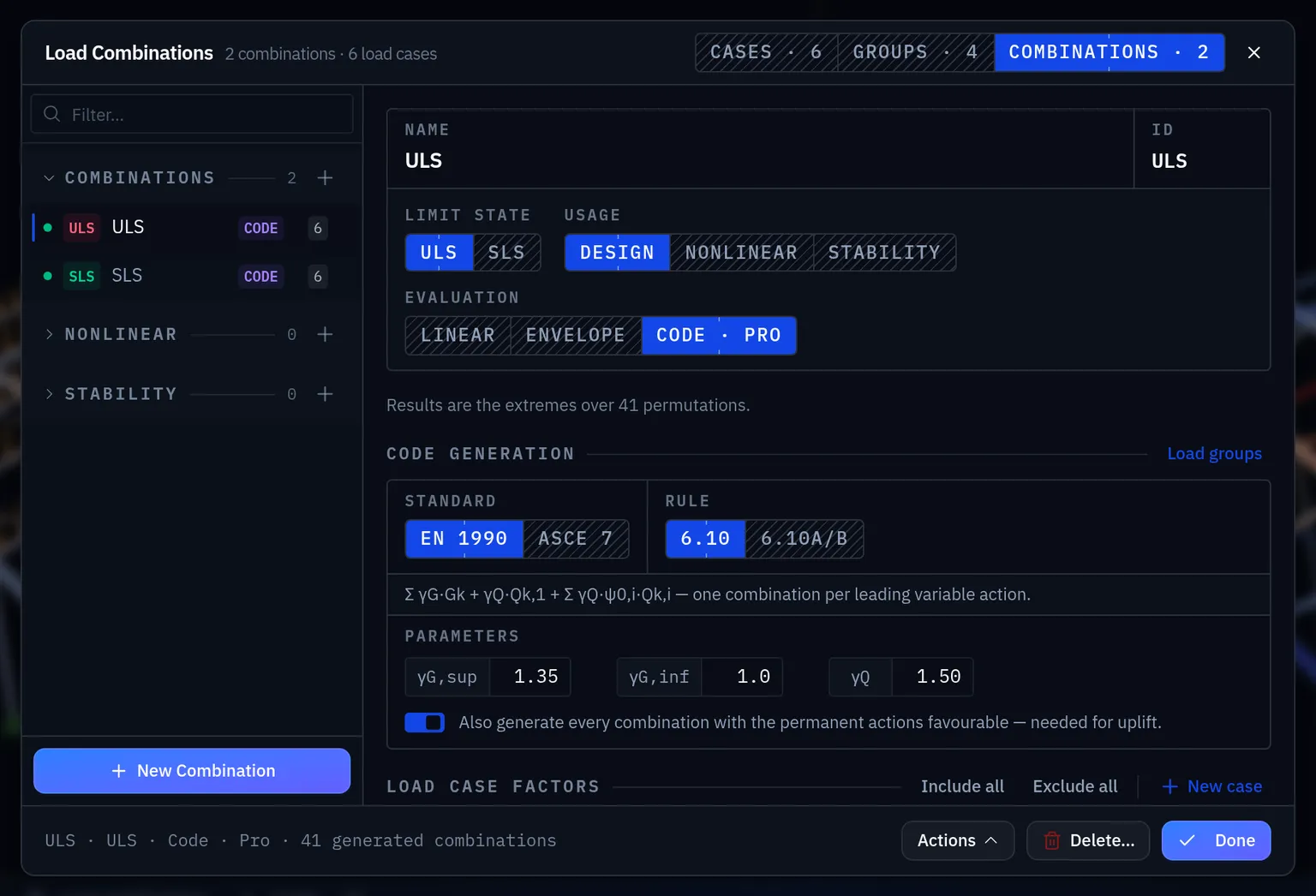
Elementarium generates load combinations from the design standard and your load groups. The generator is a convenience, not an authority: it applies the rules to the cases and groups you defined, and if those are wrong the combinations will be wrong in a way that looks extremely tidy.
Two standards ship, and a project may hold combinations from both (a Eurocode project can still carry an ASCE combination for comparison):
| Standard | Rules generated |
|---|---|
| EN 1990 | ULS 6.10, or the 6.10a / 6.10b pair; SLS characteristic, frequent and quasi-permanent |
| ASCE 7 | LRFD §2.3.1 (combinations 1–7); ASD §2.4.1 (1–10); and the ASD service-level set CC.1–CC.4 |
A new combination starts on the standard of the project's national code family; you can change it per combination.
The Eurocode equations
For persistent and transient design situations, EN 1990 gives the ultimate limit state combination in equation 6.10:
and the alternative pair 6.10a / 6.10b, which many national annexes prefer because it is less conservative:
Each variable action takes a turn as the leading action , with the others accompanying at their values. That is why the number of combinations grows quickly: one per equation, per leading action, per arrangement.
Partial factors
Every factor the generator uses is an editable field on the combination, not a constant compiled into the app. The defaults are EN 1990's recommended values; where your national annex departs from them, change the field and say so in the report.
| Factor | Default | Applies to |
|---|---|---|
| 1.35 | Permanent actions, unfavourable (Table A1.2(B)) | |
| 1.00 | Permanent actions that relieve | |
| 1.50 | Variable actions, unfavourable | |
| 0.85 | Reduction on permanent actions in 6.10b |
The ASCE 7 rules work the same way: 1.4D, 1.2D, 0.9D, 1.6L, 1.6Lr, 1.0W,
1.0E and the companion live factor are all fields, so the §2.3.1 exception permitting
0.5 for light live loads is a value you set, not a branch you have to work around.
The ψ factors, by category:
| Action | |||
|---|---|---|---|
| Imposed, domestic and office (A, B) | 0.7 | 0.5 | 0.3 |
| Imposed, congregation and shopping (C, D) | 0.7 | 0.7 | 0.6 |
| Imposed, storage (E) | 1.0 | 0.9 | 0.8 |
| Snow, ≤ 1000 m altitude | 0.5 | 0.2 | 0 |
| Wind | 0.6 | 0.2 | 0 |
Serviceability
EN 1990 has three SLS rules, used for different things. All three are generated:
| Combination | Form | Typical use |
|---|---|---|
| Characteristic | Irreversible effects, cracking checks | |
| Frequent | Reversible effects, vibration comfort | |
| Quasi-permanent | Long-term deflection, creep |
Deflection limits are usually checked under the characteristic or quasi-permanent combination depending on what is being protected. The code clause tells you which, and using the wrong one is a common review comment.
Favourable and unfavourable
A permanent action that relieves the effect being checked is factored at , not . The generator produces both variants (there is a switch for it, on by default), because a set without them is silently wrong wherever self-weight relieves the effect — uplift on a purlin, a hogging moment, tension in a hold-down — and taking it at 1.35 would be unsafe.
These are STR/GEO combinations. Static equilibrium of the structure as a whole — overturning, sliding, lifting off its supports — is the EQU set, with and (Table A1.2(A)). The generator does not produce it; build those combinations by hand.
Every generated set also contains a permanent-only combination: the sum with no variable action leading at all.
Reading the generated set critically
Generation is not verification. Before you use the set:
- Count it. Does the number look plausible for the number of variable actions and arrangements? Two variable actions and no arrangements should give a handful, not ninety.
- Open the governing one. After solving, look at which combination governs and read its factors. They should be the ones you would have written by hand.
- Check for the missing case. Exclusive groups that were not marked exclusive produce combinations with wind from two directions at once: obvious once you look, invisible if you do not.
- Regenerate after adding a case. A combination set does not update itself when you add a load case later.
Manual combinations
You can always write a combination by hand: pick the cases and type the factors. Use this for anything the generator does not cover (construction stages, a bespoke accidental situation, a client-specified check) and label it clearly so a reviewer can see it was deliberate.
Related
Load cases for building the inputs, and Envelopes for getting the governing result out of a large set without reading every one.
Something wrong or unclear on this page? Tell us, and it gets corrected.